
Ask Tracy — Your OpenClaw Doctor Agent
Tracy is ClawTrace's built-in AI observability analyst. Unlike static dashboards that show you numbers and leave the interpretation to you, Tracy understands your agent's behavior and delivers actionable insights through natural conversation.
Tracy is available on every page in ClawTrace — just click the Ask Tracy button on the right edge of your screen.
What Tracy Can Do for You
Instead of digging through dashboards and manually piecing together what went wrong, just ask Tracy:
- Find the expensive runs — "Which trajectory burned the most tokens?" Tracy identifies cost drivers and tells you exactly why they're expensive.
- Understand what your agent is doing — "What types of work does this agent do?" Tracy reads the actual execution data and explains the agent's behavior in plain language.
- Spot problems before they escalate — Tracy proactively flags anomalies like runaway context growth, stalled processes, or hardcoded API keys in tool calls.
- Get optimization advice — "How can I make this faster?" Tracy analyzes bottlenecks and recommends specific changes like splitting pipelines, adjusting polling intervals, or bounding context windows.
- Navigate faster — Agent names and trace IDs in Tracy's responses are clickable links that take you directly to the relevant page.
Opening Tracy
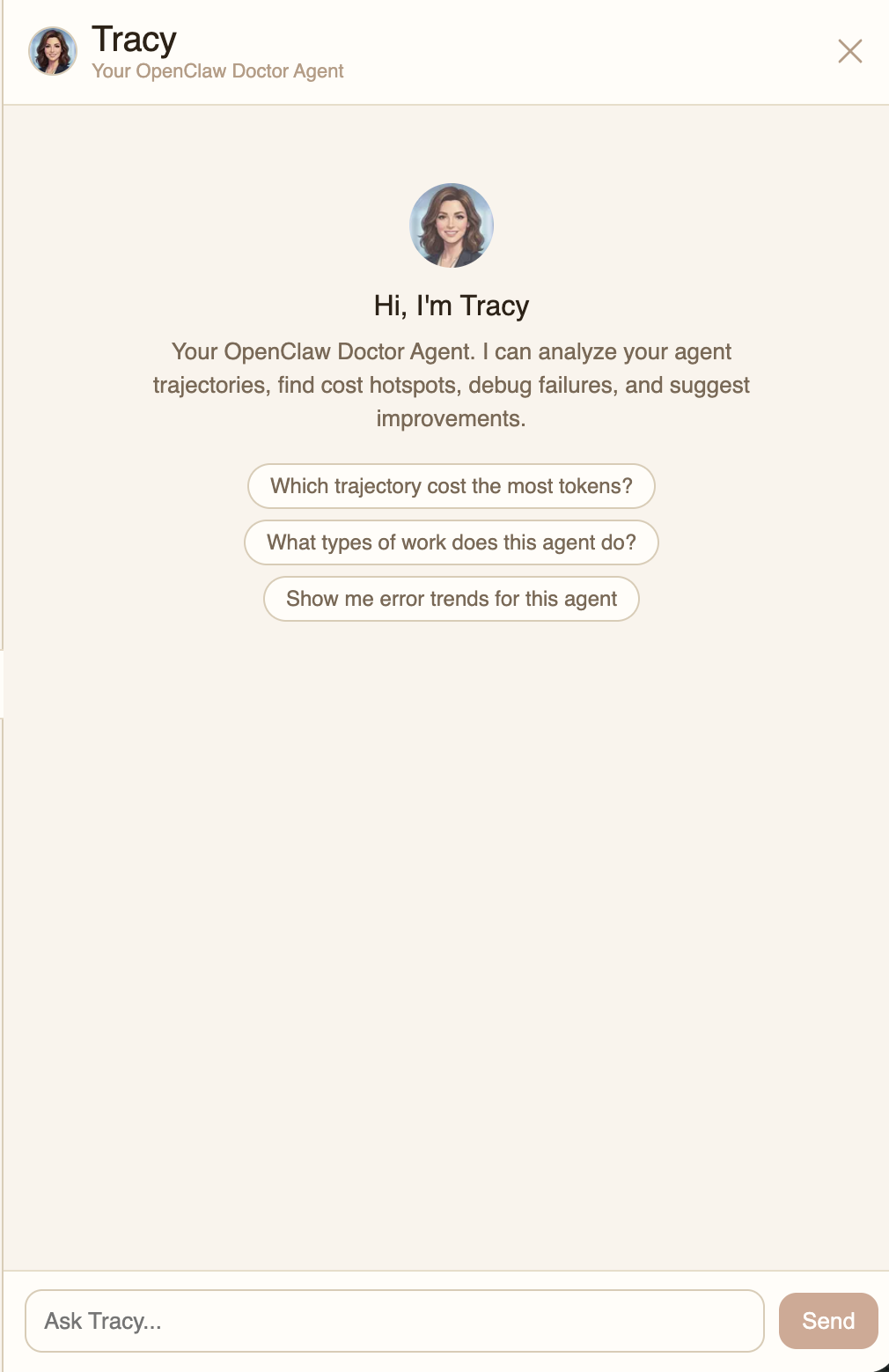
Click the Ask Tracy floating button on the right side of any page. Tracy opens as a side panel with context-aware suggested questions based on your current page.
Context-Aware Suggestions
Tracy adapts its suggested questions to the page you're on:
- Trajectories page — "How many agents do I have connected?", "Which agent was most recently active?"
- Agent dashboard — "Which trajectory cost the most tokens?", "What types of work does this agent do?"
- Trajectory detail — "What is this trajectory doing?", "Where is the bottleneck?", "How can I optimize this run?"
- Billing page — "Which credit pack is the best value?", "How much am I spending per day?"
Watching Tracy Think
When Tracy is working on your question, you can see the reasoning process in real time. A collapsible reasoning bar shows each step — querying the database, processing results, and analyzing patterns.
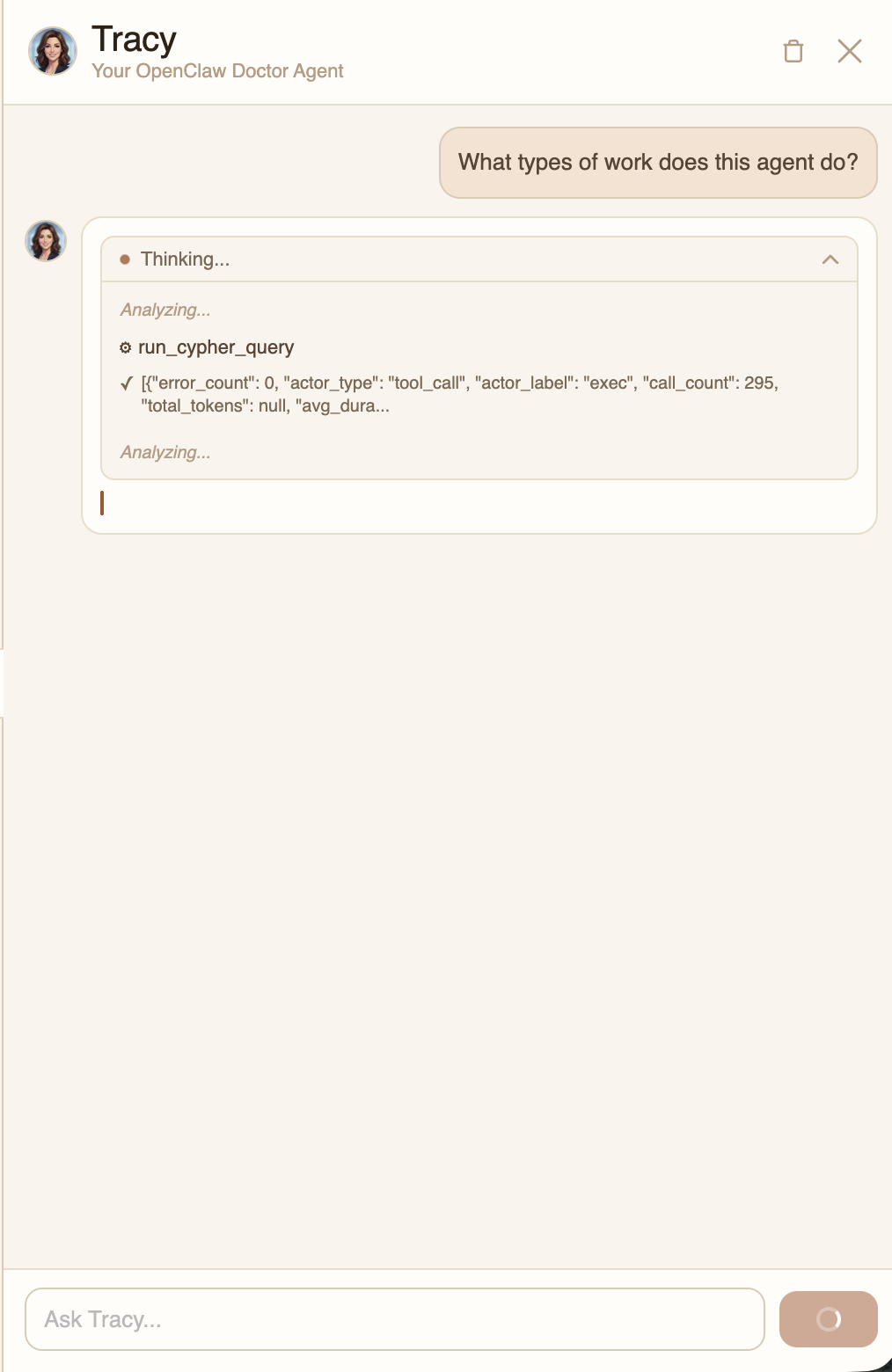
Click the reasoning bar to expand it and see the full step-by-step breakdown, including the actual database queries and results.
Rich Analysis with Charts
Tracy's responses include formatted text with tables, code snippets, and interactive charts. Charts are rendered inline and can be clicked to expand to full screen for a closer look.
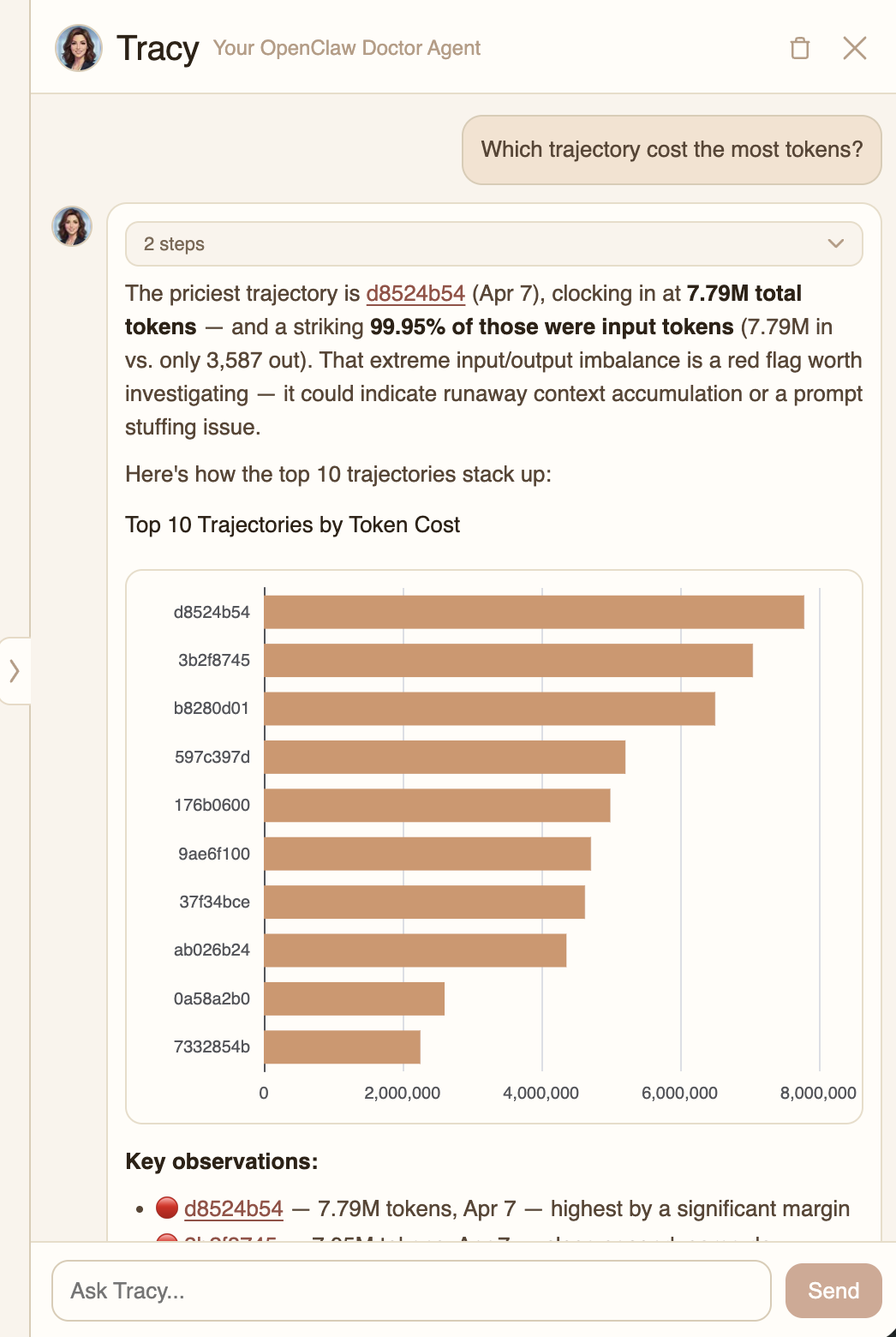
Tracy doesn't just show you data — it highlights what matters. In this example, Tracy identified that the most expensive trajectory consumed 7.79M tokens with a 99.95% input token ratio, flagging it as a potential context accumulation issue.
Multi-Turn Drill-Down
Tracy remembers your conversation context. After an initial analysis, you can ask follow-up questions to drill deeper into specific trajectories, spans, or patterns.
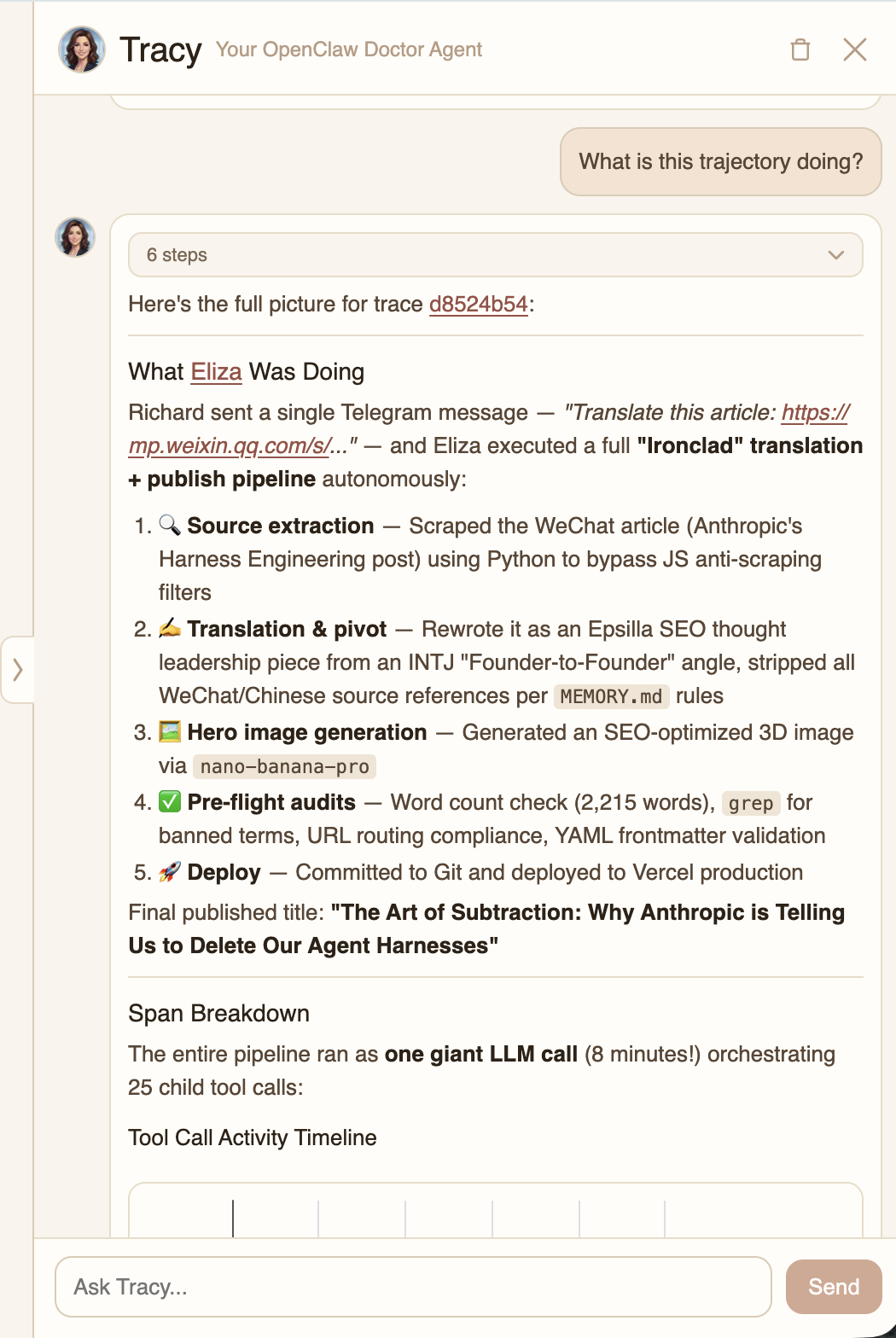
In this drill-down, Tracy broke down exactly what the agent was doing — a 5-step autonomous pipeline from source extraction to deployment — identified the one giant LLM call orchestrating 25 tool calls, and provided a detailed cost breakdown showing that 94.6% of tokens were cache hits.
Cost Insights
Tracy provides specific cost estimates and optimization recommendations. It understands token pricing, cache behavior, and wall-clock implications.
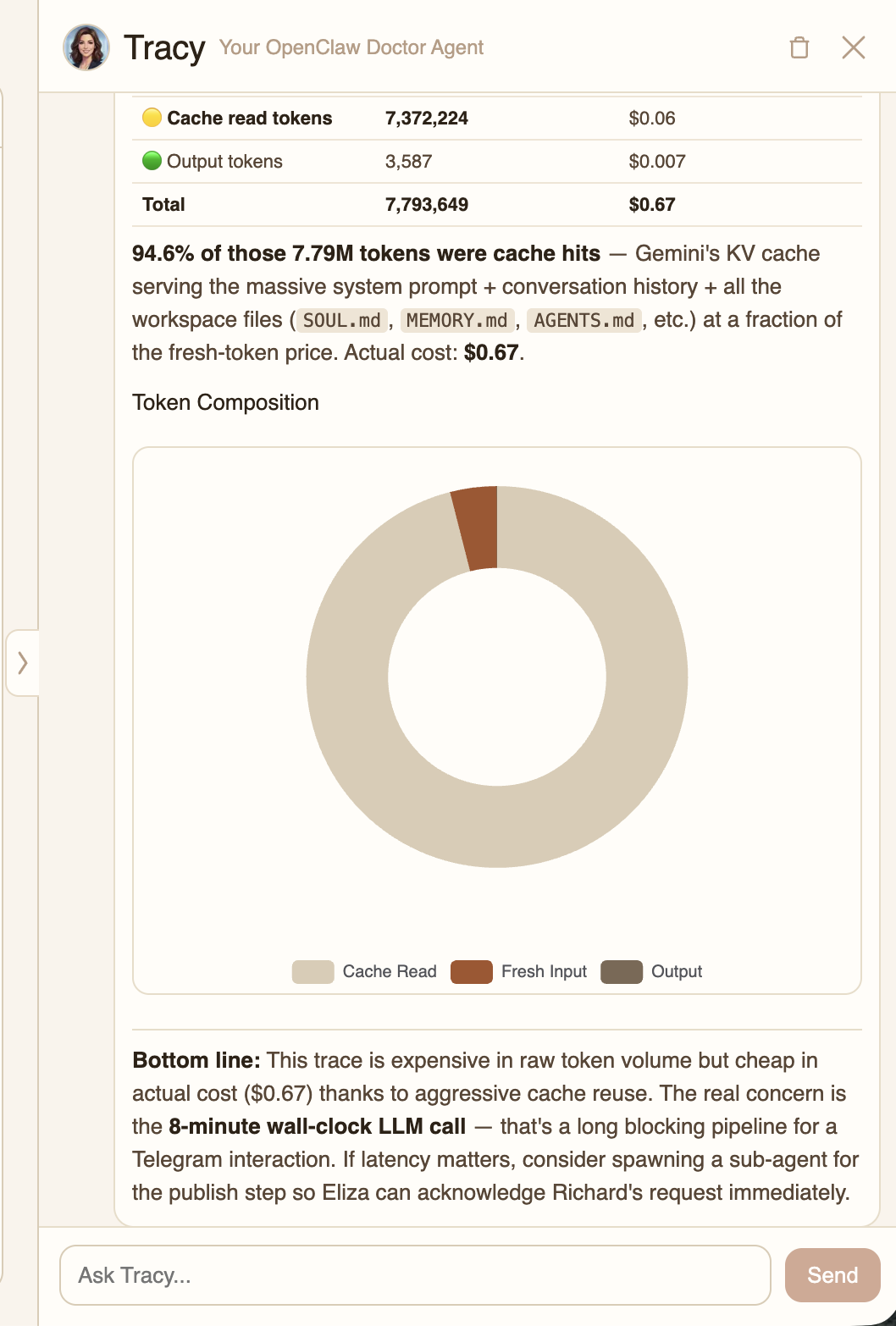
Tracy's cost analysis breaks down token composition (fresh input vs. cache reads vs. output) with actual dollar amounts, and provides actionable bottom-line recommendations — like spawning sub-agents for blocking pipeline steps.
What You Can Ask Tracy
Tracy can help with a wide range of observability tasks:
- Cost analysis — "Which traces burn the most tokens?", "What's my daily spend?"
- Performance debugging — "Where is the bottleneck in this trace?", "Why did this run take so long?"
- Error investigation — "Show me recent errors", "What's failing in this agent?"
- Behavior analysis — "What types of work does this agent do?", "How has behavior changed this week?"
- Optimization advice — "How can I reduce costs?", "Should I split this into sub-agents?"
- ClawTrace help — "How do I connect a new agent?", "How does billing work?"
Conversation History
Tracy remembers your conversation across page refreshes within the same session. Use the trash icon in the header to clear the conversation and start fresh.